➡️Full Stack Project Initialize Notes
1. Update "Auto-Save" in VS-Code
➡️ GO to setting in VS code and search for "Auto-Save" and select 'afterDelay'.
➡️ Auto suggestion ctrl+space
➡️ Codium
➡️ Tailwind css intelligence
2. For Frontend Initialization (using vite)
➡️ npm create vite@latest
➡️ npm install (in project folder)
➡️ Install Tailwind CSS click here
➡️ npm i react-router-dom (for docs click here)

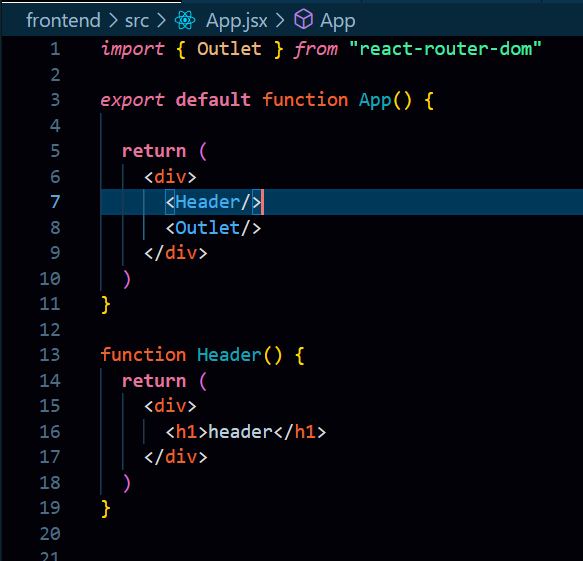
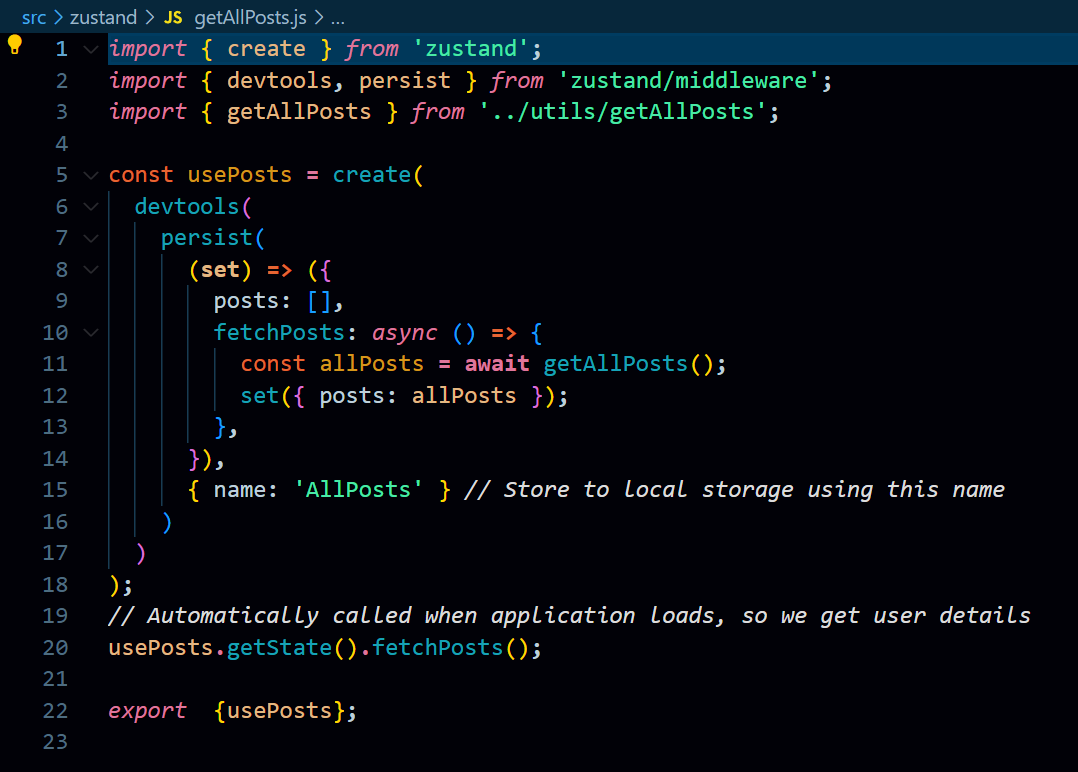
➡️ npm install zustand (for Docs click here)
Create a new folder in src, then create files as you want
3. For Backend Initialization (using node + Express)
➡️ npm init
➡️ npm install express
➡️ npm install -D nodemon (After intalling nodemon, go to package.json and change the script to "dev": "nodemon index.js(main file)")
➡️ npm install cors
➡️ npm install dotenv
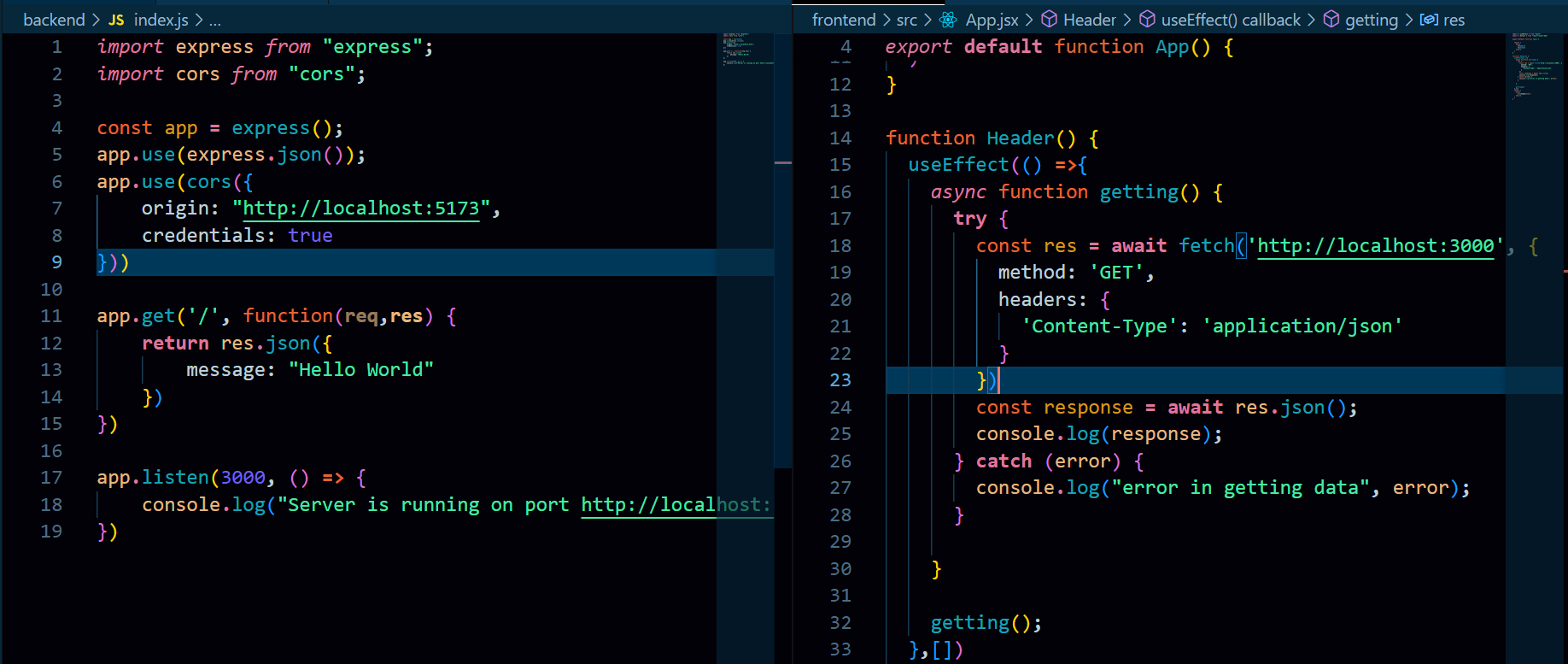
For Post method

➡️ npm i cookie-parser (for docs click here)
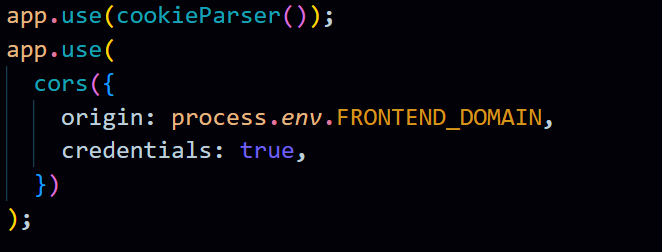
=> Seting, clearing and getting cookies and also jwt at backend
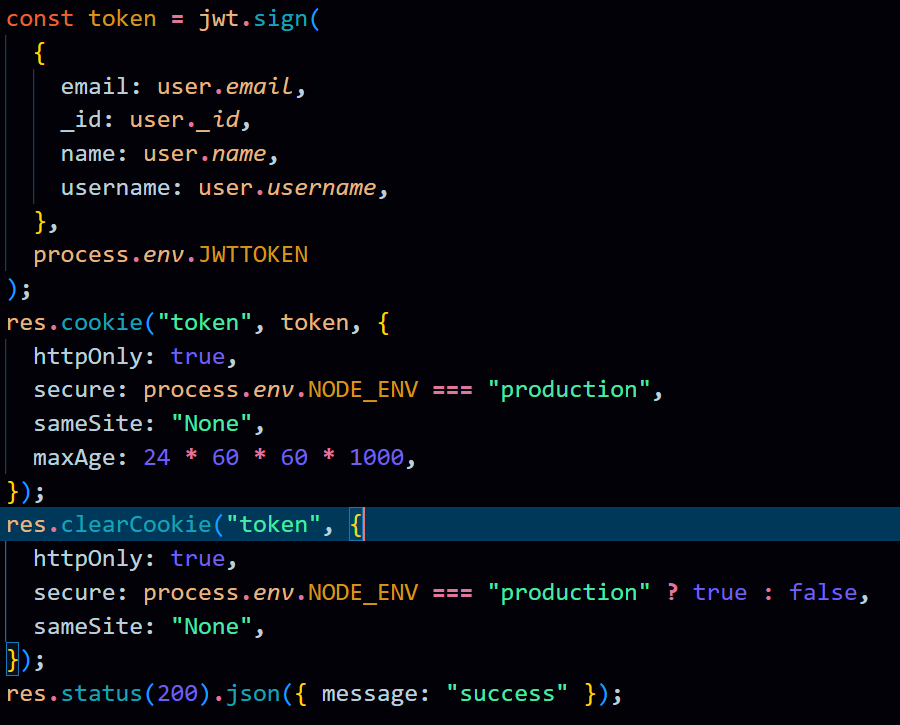
=> jwt.verify(token, process.env.JWTTOKEN); (verifying jwt)
➡️ FOR NEXT.JS
➡️ npm create next-app@latest
➡️ npm install axios
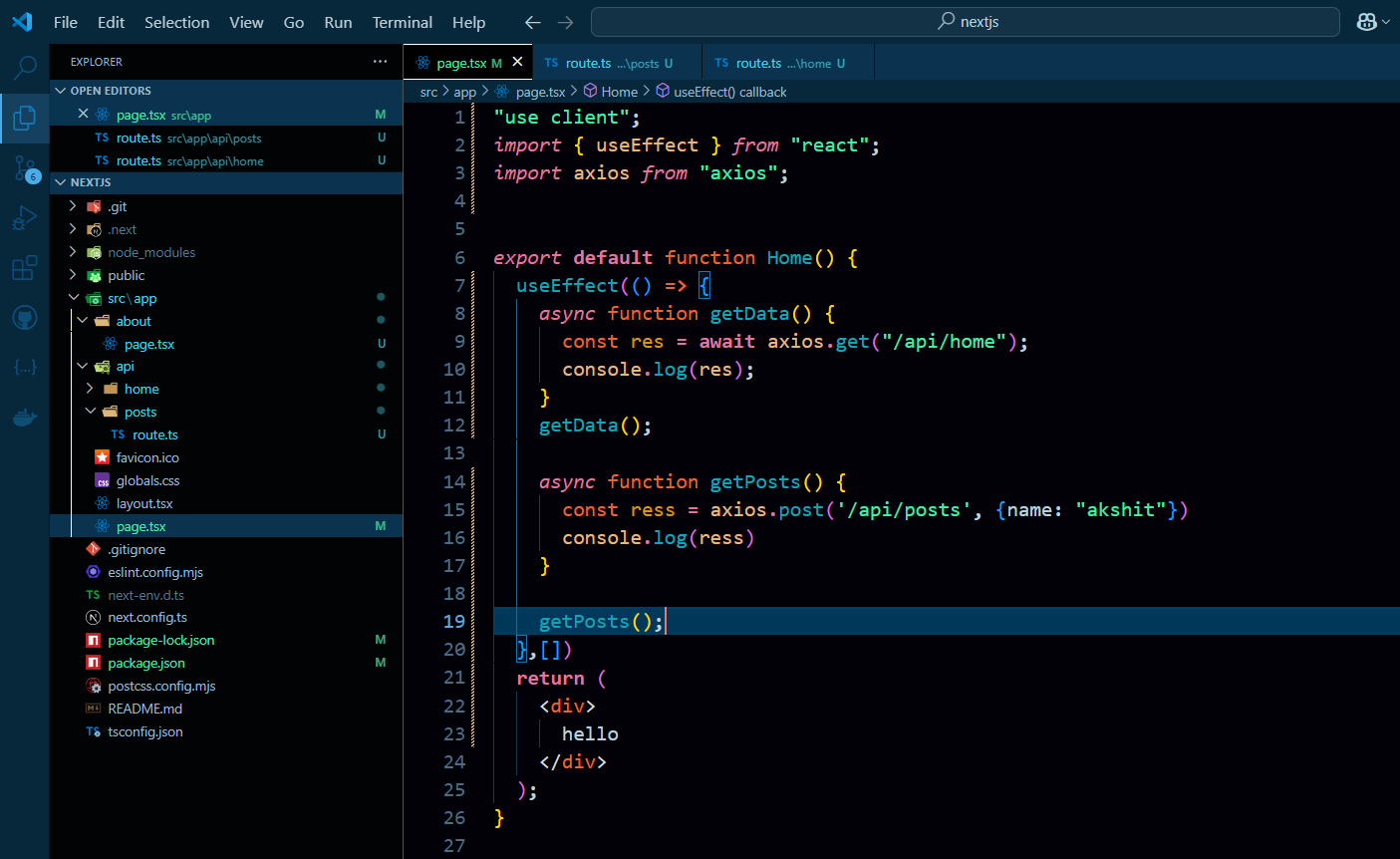
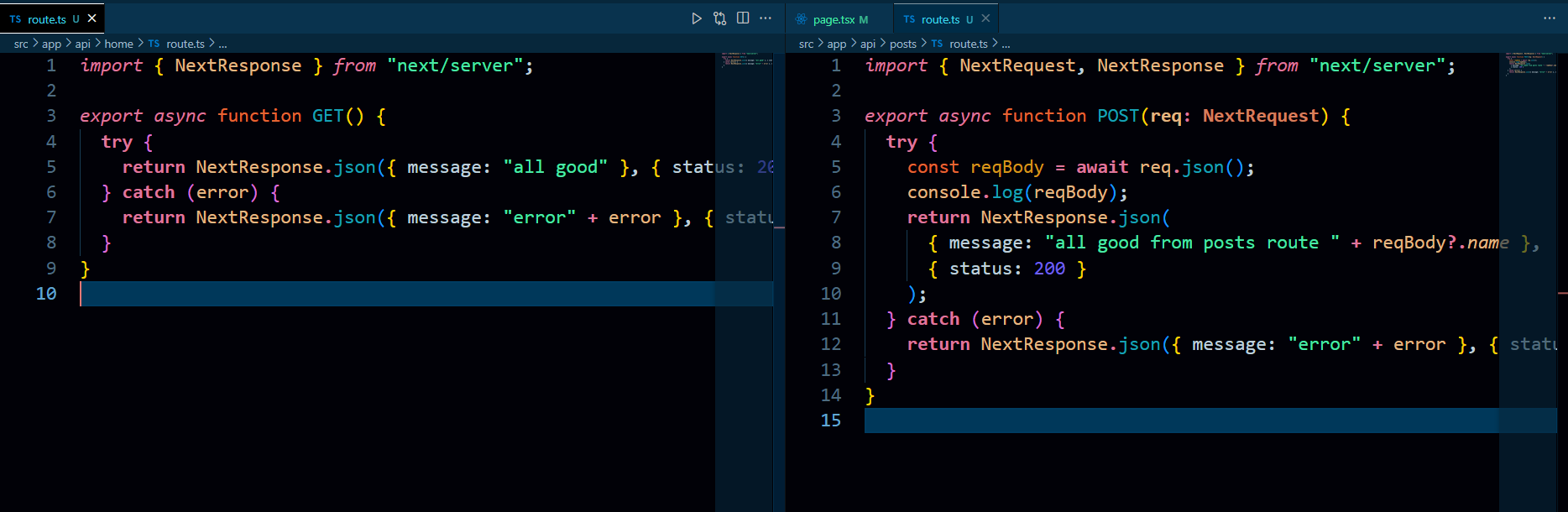
Everything is inside src/app folder, for frontend just create folder inside "src/app" and name as you want and create file name using page.tsx/jsx, for backend just create folder inside "src/ap/api" folder and create anew folder and name it as per you want and create file name route.ts/js
=> Next.js File Structure
=> Next.js Backend
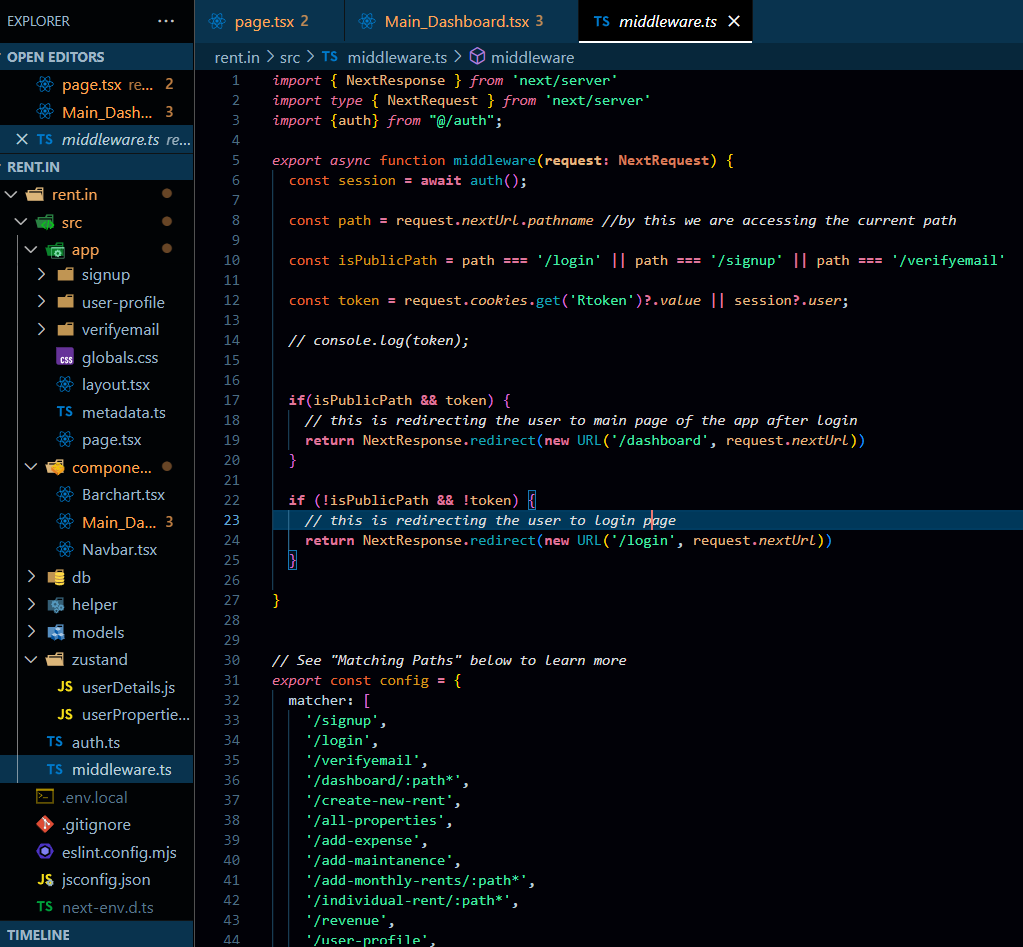
=> Next.js Middleware